218.打印模版设计时,多行文本字段显示第一行的方法
FastReport报表中,如何只显示多行字段的第一行内容?本文给出一个基于 ReportScript 自定义函数的简洁方案,兼容 Windows、Unix、Mac 三种换行符格式,附完整代码。
需求场景
数据字段(如 job.shipper)的值本身是多行文本(包含换行符),在报表中只想显示第一行内容,忽略后续行。
解决方案:自定义脚本函数
在 ReportScript 中添加一个处理函数,然后在文本框表达式里调用。
步骤 1:编写脚本
打开报表设计器的"代码"标签页,填入以下代码:
using System;
using System.Collections;
using System.Collections.Generic;
using System.ComponentModel;
using System.Windows.Forms;
using System.Drawing;
using System.Data;
using FastReport;
using FastReport.Data;
using FastReport.Dialog;
using FastReport.Barcode;
using FastReport.Table;
using FastReport.Utils;
namespace FastReport
{
public class ReportScript
{
/// <summary>
/// 获取多行文本的第一行
/// </summary>
/// <param name="text">原始文本</param>
/// <returns>第一行内容,空值返回空字符串</returns>
public string GetFirstLine(string text)
{
if (string.IsNullOrEmpty(text))
return "";
// 兼容 Windows(\r\n)、Unix(\n)、Mac(\r) 三种换行符
string[] lines = text.Split(
new string[] { "\r\n", "\n", "\r" },
StringSplitOptions.None
);
return lines.Length > 0 ? lines[0] : "";
}
}
}
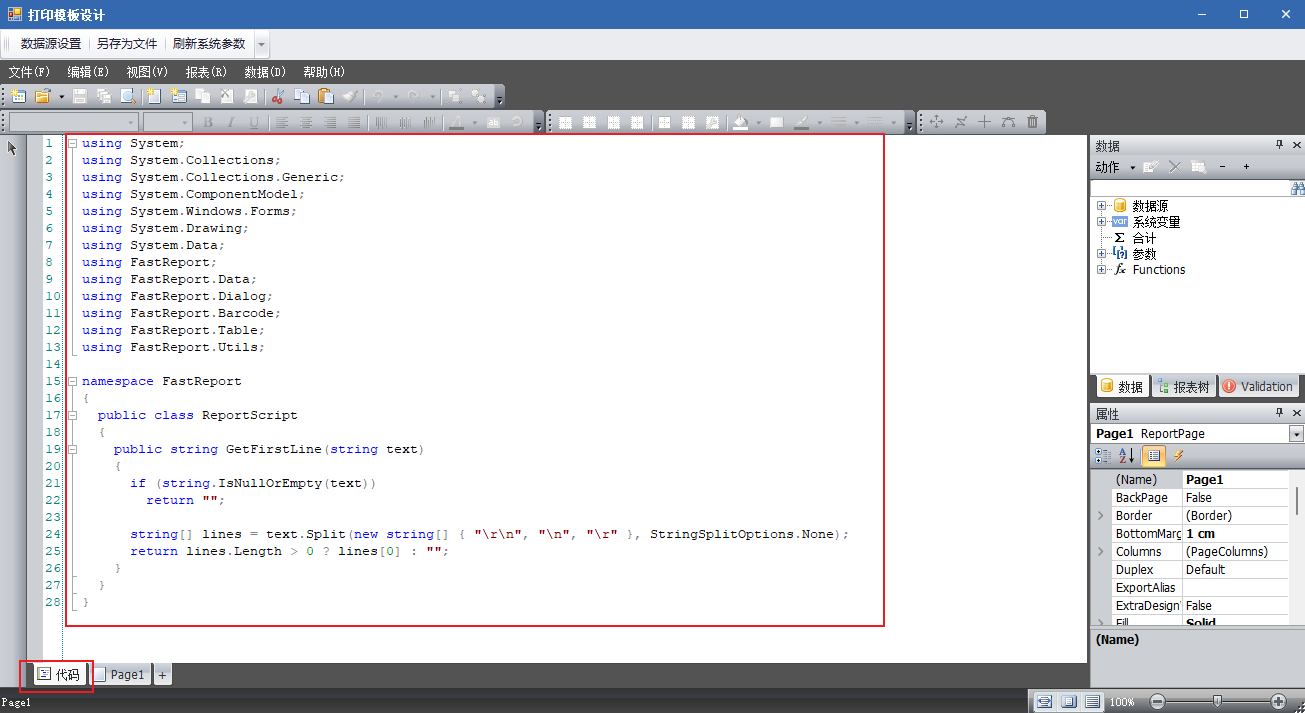
图(1)
步骤 2:在文本框中调用
在报表设计器中,选中需要显示内容的文本框,填入表达式:
[GetFirstLine([job.shipper])]
将 job.shipper 替换为你实际的字段名即可。
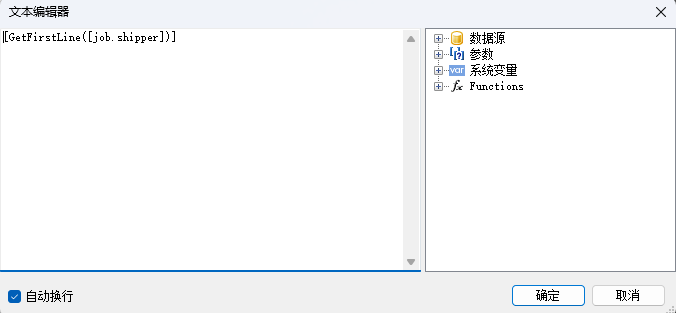
图(2)
步骤 3:预览验证
保存报表并预览,文本框将只显示字段内容的第一行。
总结
FastReport 支持在 ReportScript 里自定义函数,再通过 [函数名(参数)] 的形式在任意文本框中调用,比绕一圈用参数或事件传值简洁得多。遇到需要加工字段显示内容的场景,优先考虑这个方案。